How to chop samples online
Choose the part that moves, slice it into pads, play before you polish, and keep the chops that feel worth building.
- Upload audio
- Slice to pads
- Sequence chops
- Export WAV
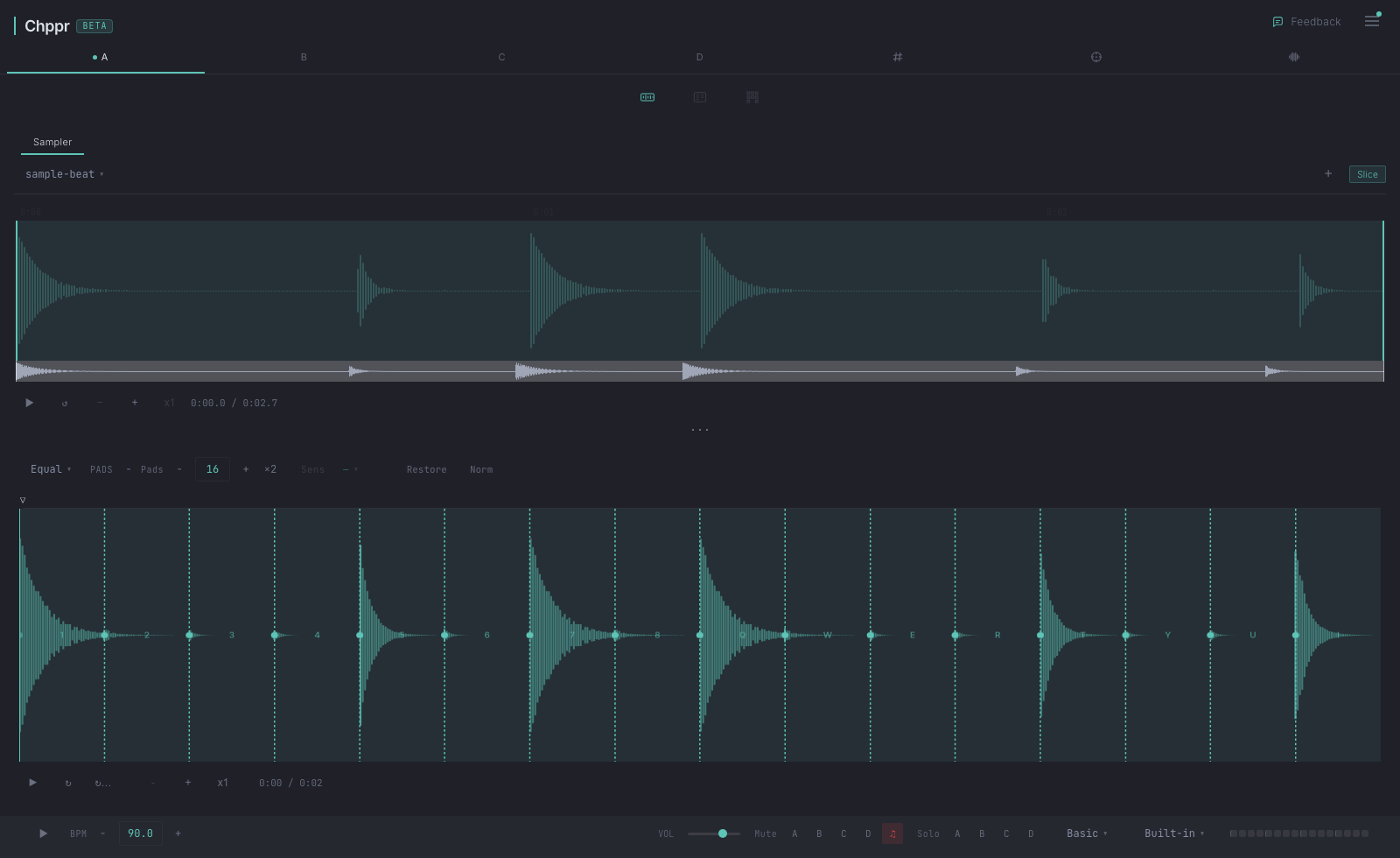
Sample chopping is the process of cutting a sound into smaller musical pieces, then replaying those pieces in a new order. This page is the practical how-to guide. If you want the main tool page, open the sample chopper online page.
Chppr puts the workflow in the browser so you can chop a sample online, test the rhythm quickly, and keep only the ideas worth taking into a full DAW session.
Why chop samples in Chppr
- Start before setup gets in the way. Drop audio into the browser and hear the chops before opening a full DAW session.
- Try the workflow without a file. Load the built-in sample beat when you just want to hear how chopping and pad playback feel.
- Pick the chopping method by sound. Use transient detection for breaks, equal slices for loops, and cue points when the phrase needs manual feel.
- Move from chop to pattern. The useful pieces become playable pads, then sequencer steps, then an arrangement.
- Leave with usable audio. Export WAV slices when the idea is ready for your DAW or another sampler.
The workflow
Start with a source
Use a loop, drum break, vocal phrase, field recording, or any sound you have permission to use. Drag it into Chppr, or load the sample beat if you want to try chopping immediately.
Find the phrase
Do not chop the whole file by default. First choose the part with the strongest rhythm, texture, or melodic movement.
Choose a slicing method
Use transient slicing for drums, equal slicing for steady loops, and cue slicing when your ear knows better than the grid.
Play before you polish
Trigger the pads and listen for combinations. The best chop is often the one that feels good under your fingers, not the one that looks perfect on the waveform.
Sequence the idea
Move into the step sequencer once a few pad combinations work. Build a loop, add swing, then arrange it with BeatArc.
Chopping tips
- For drum breaks, keep the first slice tight so the groove starts cleanly.
- For melodic samples, try fewer slices first. Too many chops can make the phrase feel smaller.
- Reverse one or two slices for movement instead of reversing everything.
- Export WAV once the sketch is good enough to continue in your DAW.
Common questions
Can I chop samples online for free?
Yes. You can open Chppr in the browser, drop an audio file, chop it into pads, and try the workflow without signing up.
Can I chop one sample online?
Yes. Chppr works with one audio file at a time for quick chopping: choose the best phrase, slice it into pads, then play the chops in a new order.
What is the fastest way to chop a sample?
Start by choosing the strongest phrase in the waveform, then use transient detection for drums or manual cue points when the groove needs a human cut.
Can I sequence the chopped samples?
Yes. After slicing, each chop becomes a pad and can be triggered by hand or programmed in the step sequencer.
What part of a sample should I chop first?
Start with the phrase that has the strongest rhythm, texture, or movement. Then slice only that region and play the chops before spending time on detailed editing.
Can I export the result?
Yes. Chppr can export WAV slices or keep the idea inside the browser so you can continue arranging it.