Free online sampler for your own audio
Use Chppr as a free sampler in your browser: load audio, play chops as pads, sequence a quick idea, and export WAV with no install.
- Load audio
- Play pads
- Sequence patterns
- Export WAV
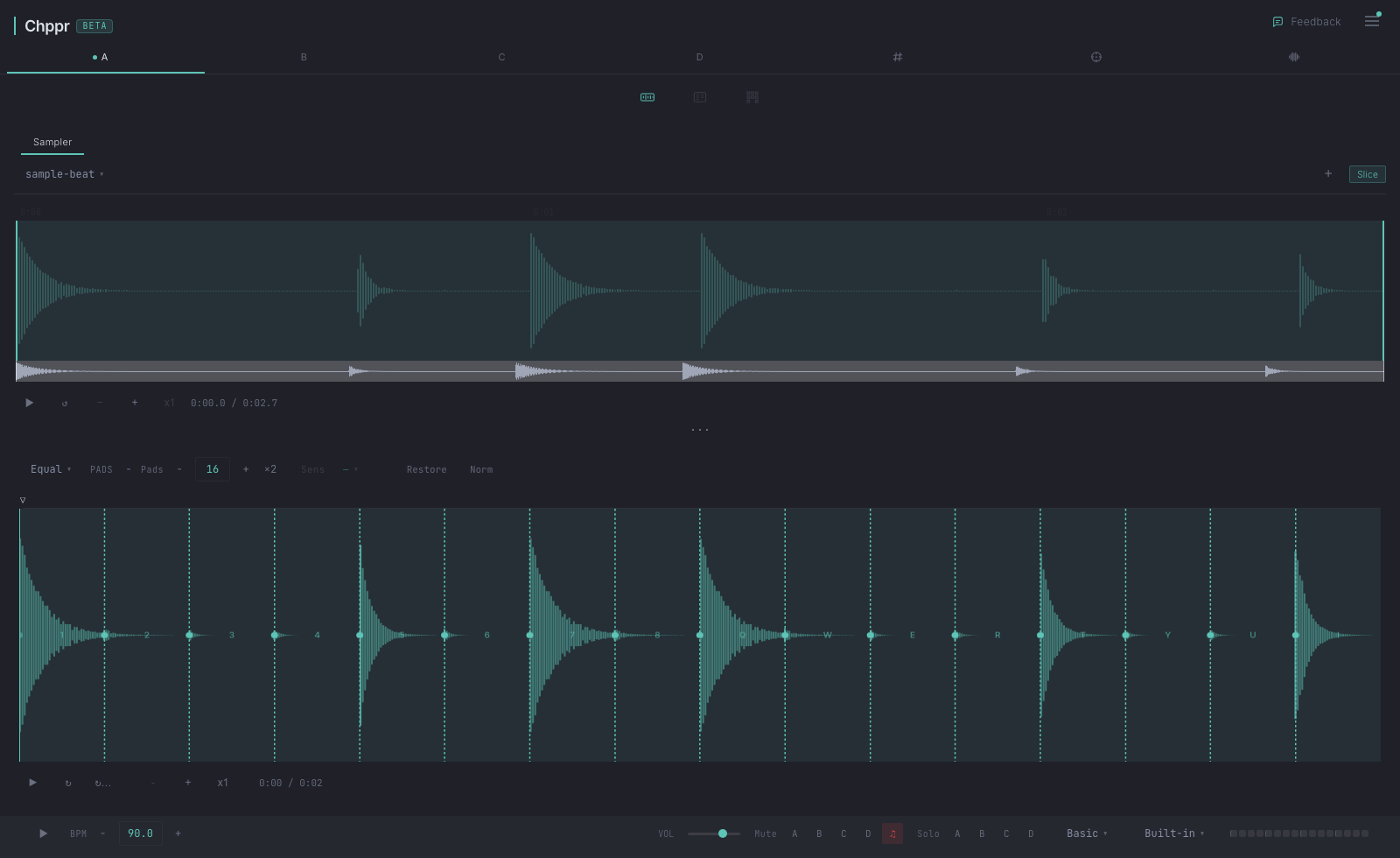
Chppr is a free sampler for producers who want to test a sound before setting up a full session. Use it as an audio sampler in the browser: load audio, chop it into pads, play the pieces, and hear whether the idea is worth keeping.
Audio sampler in the browser
Start with a file, microphone recording, or demo beat. Chppr turns the sound into pads so you can play, sequence, and export the parts that work without downloading a plugin.
What you get in the browser
- A waveform editor for selecting the part of the source you want.
- Automatic and manual chopping modes.
- Pad playback for slices, including pitch and reverse tools.
- A 4-track step sequencer for building patterns.
- BeatArc arrangement for turning loops into a longer structure.
- WAV export when the sketch is ready to leave the browser.
Why use a browser sampler
- No install before the first idea. Open the page, add audio, and test a chop without managing plugins.
- Sampler and sequencer together. Turn sounds into pads, then program the groove in the same workspace.
- Your sounds, not a fixed sample library. Bring in a drum break, melody, vocal, or recording and use Chppr as a music sampler for that source.
- Useful for quick decisions. Find out whether a loop has musical potential before starting a full session.
- Export when it is worth keeping. Take WAV audio out when the sketch is ready to continue elsewhere.
When a browser sampler is useful
Browser tools are best when the cost of opening a full production environment feels too high. Chppr is good for testing a loop, preparing chops before a DAW session, sketching on a laptop or tablet, or sharing an idea quickly.
If your main goal is playing beat pads or drum pads from a sample beat, use the beat pads and drum pads online page.
If your main goal is arranging chopped audio into patterns, read the sample sequencer online page.
For a phone-first or tablet-first version of this workflow, use the mobile sample chopper for phone and tablet.
Use it as the fast sampler stage before the full session: find the idea, make it move, then export or keep building in your DAW.
From sound to beat
Load or record audio
Upload a file, record from the microphone, or use the built-in sample beat to test the sampler immediately.
Turn the audio into pads
Slice a selected region and play each piece like a compact instrument.
Sequence the groove
Program hits across tracks, change BPM and swing, then arrange the result with BeatArc.
Common questions
Is Chppr a free sampler?
Yes. Chppr works as a free sampler in the browser. Load audio, turn it into playable pads, sequence a quick idea, and export WAV with no desktop install.
Can I use Chppr as an audio sampler?
Yes. Chppr is an audio sampler for your own sounds. Upload a file, record from the microphone, or start with the built-in sample beat.
Is Chppr an online sampler?
Yes. Chppr is an online sampler and browser sampler that lets you load audio, chop it into pads, sequence ideas, and export WAV.
Is it a music sampler or a sample library?
Chppr is a music sampler tool, not a loop or sample library. It helps you play and sequence audio you bring in, plus a built-in sample beat for trying the workflow.
Does it work without downloading software?
Yes. Chppr runs in modern browsers and does not require a desktop install to start chopping and sequencing.
Can I export audio from the online sampler?
Yes. Chppr can export WAV audio after you chop, sequence, or arrange an idea.