Free online beat maker for sample-based beats
Turn your own audio into a sample-based beat: chop it into pads, build a pattern, and export WAV in your browser.
- Drop audio
- Play beat pads
- Generate patterns
- Export WAV
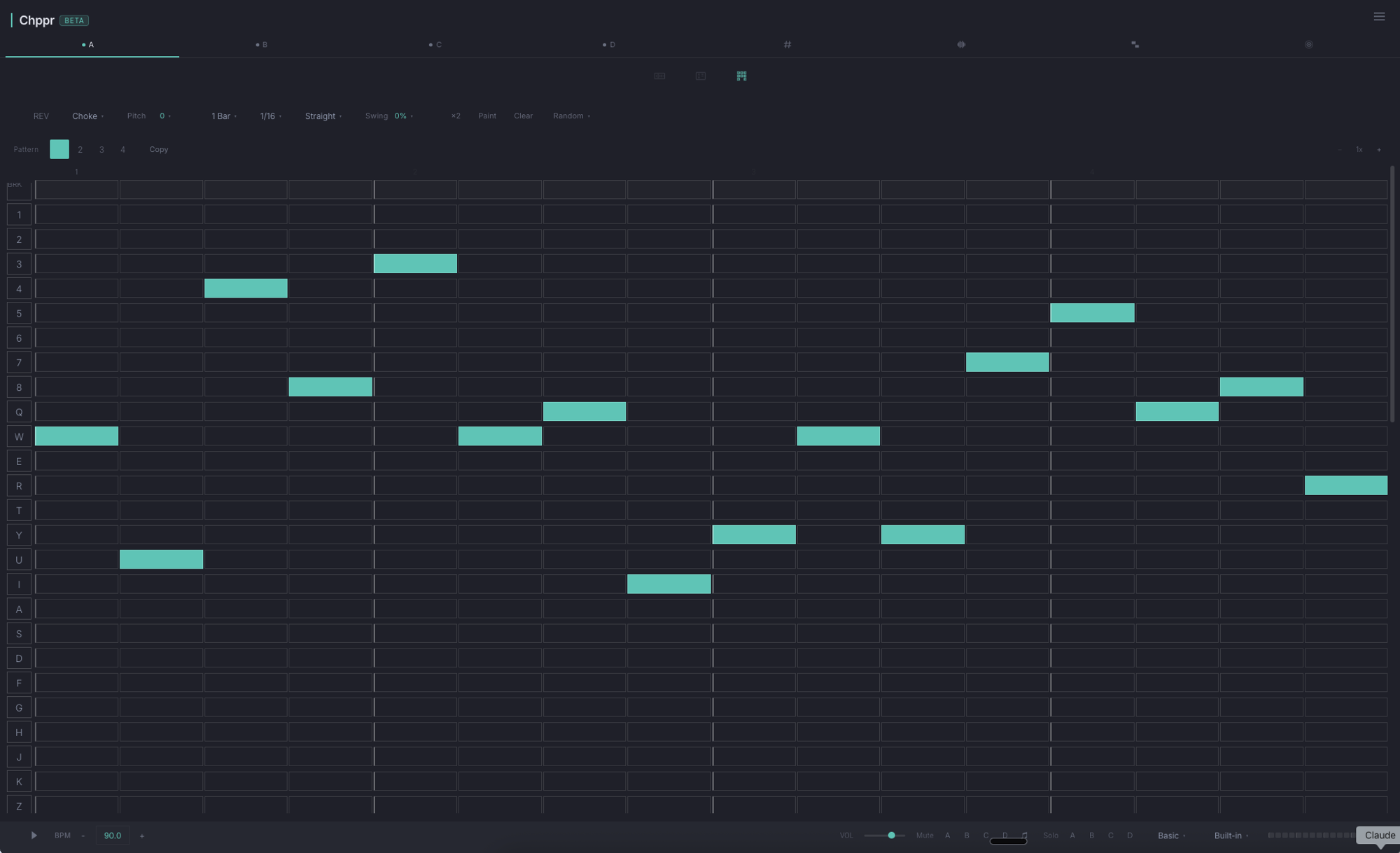
Chppr is a sample-based beat pad and online beat maker for producers who start with audio, not preset loops. Instead of opening a generic loop generator, you drop a sound into the browser, chop the useful parts into pads, play the chops, and turn those moments into a beat.
Play beat pads in your browser
A slicer helps you cut audio. Chppr goes further: it turns those cuts into playable beat pads so you can test rhythm, texture, and timing by hand. Use your own file, record audio, or load the sample beat when you want to feel the workflow quickly.
From drum pads to patterns
- Start with audio, not preset loops. Drop in a file, record a source, or try the sample beat without installing a DAW.
- Chop sounds into playable drum pads. Slice a phrase with transient detection, equal slices, or cue points, then trigger the pieces like an instrument.
- Generate drum patterns from labeled pads. When Chppr recognizes kick, snare, and hat-style chops, use the pattern generator to get a beat moving quickly.
- Build patterns with the step sequencer. Once a few chops work together, place them into tracks and turn quick pad ideas into repeating patterns.
- Shape the beat before export. Adjust BPM, swing, groove feel, pitch, reverse, and choke behavior where the sample needs it.
Build patterns, not just a collection of chops
An online beat maker has to answer a different question from a sample chopper. Finding a good slice is only the beginning. A beat begins when you decide which hits repeat, which ones answer each other, and where silence makes the next hit land harder. Chppr keeps that decision close to the audio: the same pads you use to audition a chop become the material for a pattern.
Start small. Pick one low hit, one backbeat, and one short texture or hat-like chop. Play them by hand first, even if the performance is rough. That quick pass tells you whether the source has a pulse before you spend time placing steps. Then move the parts into the sequencer, where a short loop can become a stable beat without losing the character that made you choose the sample.
Pattern construction is less about filling every step than giving each role a reason to exist. A kick-like slice can establish weight, a snare-like slice can make the bar readable, and a bright fragment can supply motion. If the source is melodic instead of percussive, the same logic still works: use one chop as an anchor, another as an answer, and leave room for the phrase to breathe.
A practical sequence workflow
Choose a pulse
Set a tempo that lets the source speak clearly. Do not force a break, vocal, or field recording into a speed that hides its useful accents. A comfortable BPM gives the first pattern a chance to feel natural.
Place the anchor hits
Put the most dependable low and backbeat-style chops on separate tracks. Listen to a one-bar loop before adding detail. If those few hits do not move, more layers will only make the problem harder to hear.
Add movement with fewer notes
Use a small chop, reverse hit, or pitched fragment for motion. Offset it against the anchor instead of copying the same rhythm everywhere. This is where a sliced recording starts to sound like a beat rather than an edited file.
Revise the loop by ear
Mute a track, remove a step, change swing, or swap one pad for another. The point is not to preserve every first idea; it is to hear which choices make the loop more memorable and which only make it busier.
From chop to arrangement
The useful online beat maker workflow is chop → pads → pattern → arrange → export. Each stage solves a smaller problem. Chopping identifies the playable material. Pads make that material immediate enough to test. A pattern turns the best pad relationships into a loop. Arrangement decides how that loop changes over time. Export gives the idea a place outside the browser when it is ready for the next session.
You do not need to finish every stage at once. A 4-bar pattern can be a complete outcome if you are collecting sketches for later. When a pattern has enough identity, extend it by removing a layer for an opening, bringing the main hits back for a section change, or reserving an unusual chop for a transition. Those small contrasts can make a short beat readable without adding an unrelated preset pack or a second tool.
Think of arrangement as a listening test. If the loop stays interesting after repeated plays, give it a beginning and a change. If it gets tiring, return to the pads and replace the part that is doing too much. Chppr is designed for this back-and-forth: keep the source close, edit the pattern, and export only when the rhythm communicates what you intended.
Make beat decisions with the sample in front of you
Browser beat making can be especially useful when you do not want to open a large project just to test one source. You might have a vinyl phrase with an uneven groove, a voice memo with one usable consonant, a stem that needs a new rhythm, or a field recording that sounds more musical after slicing. In each case, the work is not about generating a generic beat. It is about discovering the beat already suggested by that audio.
Keep the first pass concrete. Name the job of each pad in your head: foundation, response, texture, transition. Then listen for clashes. Two dense chops may fight for the same moment; a long tail may blur a backbeat; a pitched slice may become the hook instead of a background layer. These are beat-maker choices, and they are easier to make when the waveform, pads, and sequencer share the same working space.
When you need more guidance on the individual slicing step, the online sample chopper explains how to find and prepare playable pieces. This page starts where that process becomes composition: deciding how those pieces repeat, change, and earn their place in a beat.
Use the browser as a fast beat sketchbook
A browser-based beat maker is most valuable when it reduces the distance between hearing an idea and testing it. You may only have ten minutes between sessions, be working on a laptop away from your main setup, or want to check whether a recording is worth bringing into a larger project. Loading a source, cutting a handful of pads, and programming a compact pattern is enough to answer that question.
That speed should not mean careless choices. Listen to the source at the tempo you intend to use. Decide whether the character comes from a clean transient, an off-grid accent, a noisy tail, or the gap between two notes. Then make the pattern reveal that character. A beat built from a short recording can have more identity than a dense arrangement if its few parts make a clear rhythmic argument.
Use repetition as information. Let a pattern run long enough to notice what your ear expects. If a hit lands exactly where expected, move or remove it once. If a texture arrives too often, reserve it for the end of a phrase. If the main loop feels empty, first check whether one pad needs a different pitch or length before adding more sounds. Those revisions are small, but they are how a functional loop becomes a beat you recognize.
When the sketch works, export WAV while the idea is still clear. You can open it in a DAW for a fuller mix, keep it alongside other drafts, or share it as a reference with a collaborator. The exported file is not a claim that the beat is finished; it is a reliable handoff from a browser session to whatever comes next.
Shape the groove before opening a DAW
Use Chppr as a web beat maker when the question is still simple: does this chop become a groove? You can nudge BPM and swing, flip slices with reverse, tighten overlapping hits with choke, pitch a sound into place, and arrange the idea before committing to a full DAW session.
For sample-based beats, Chppr also works as a sample sequencer online for chopped audio slices.
Make a beat from your own sample
Use Chppr when you have a sound that might become a groove. Chop it into pads, play the pieces, build a short pattern, and export the idea when it starts to move.
Beat making workflow
Start with a source
Drop audio into the browser, record from the microphone, or load the sample beat to start without searching for a file.
Find the phrase
Choose the part with the strongest rhythm, texture, or movement before you slice.
Chop into pads
Create playable slices, then trigger them with pads or keyboard shortcuts to hear combinations quickly.
Sequence the pattern
Use the step sequencer to turn the chops into a beat, adjust BPM and swing, then build a loop worth keeping.
Export the idea
Export WAV when the beat is ready to continue in a DAW, sampler, or arrangement workflow.
Common questions
Is Chppr a free online beat maker?
Yes. Chppr is a free online beat maker for sample-based beats. Chop audio into pads, play the chops, build patterns, arrange ideas, and export WAV.
Can I use Chppr as beat pads online?
Yes. Load the sample beat or your own audio, chop it into playable pads, trigger the pads, and sequence a beat in the browser.
Can I make beats online free without installing a DAW?
Yes. Chppr runs in the browser, so you can try a sample beat or upload audio, create chops, program patterns with the step sequencer, and export the idea without installing a desktop DAW.
Is this an AI beat generator?
No. Chppr does not generate a finished beat with AI. It gives you beat pads, sample chopping, pattern generation, sequencing, and export tools so you can build a beat from audio.
Does Chppr include a sample library?
No. Chppr is not a loop or sample library. Start with the built-in sample beat or bring your own audio.
Can I export WAV from the online beat maker?
Yes. When the idea is ready, Chppr can export WAV audio so you can continue in a DAW or share the sketch.
Can I make a beat online with no download?
Yes. Chppr runs in the browser. Open the app, load audio or the sample beat, chop it into pads, build a pattern, and export the result without downloading a desktop DAW or plugin.
How do I build a beat pattern from chopped samples?
After chopping audio into pads, choose the hits that define the pulse, place them on step-sequencer tracks, listen to the loop, and revise timing, swing, pitch, or choke until the pattern feels deliberate.
Can I arrange and export a sample-based beat as WAV?
Yes. Use a repeating pattern as the starting point, develop the idea into an arrangement when needed, then export WAV to continue in a DAW, send to a collaborator, or keep a record of the sketch.