Sample slicer online for precise slice points
Place cuts by transient, grid, or cue point. Slice audio by ear, then play the pieces on pads before exporting WAV.
- Upload audio
- Place slice points
- Play pads
- Export WAV
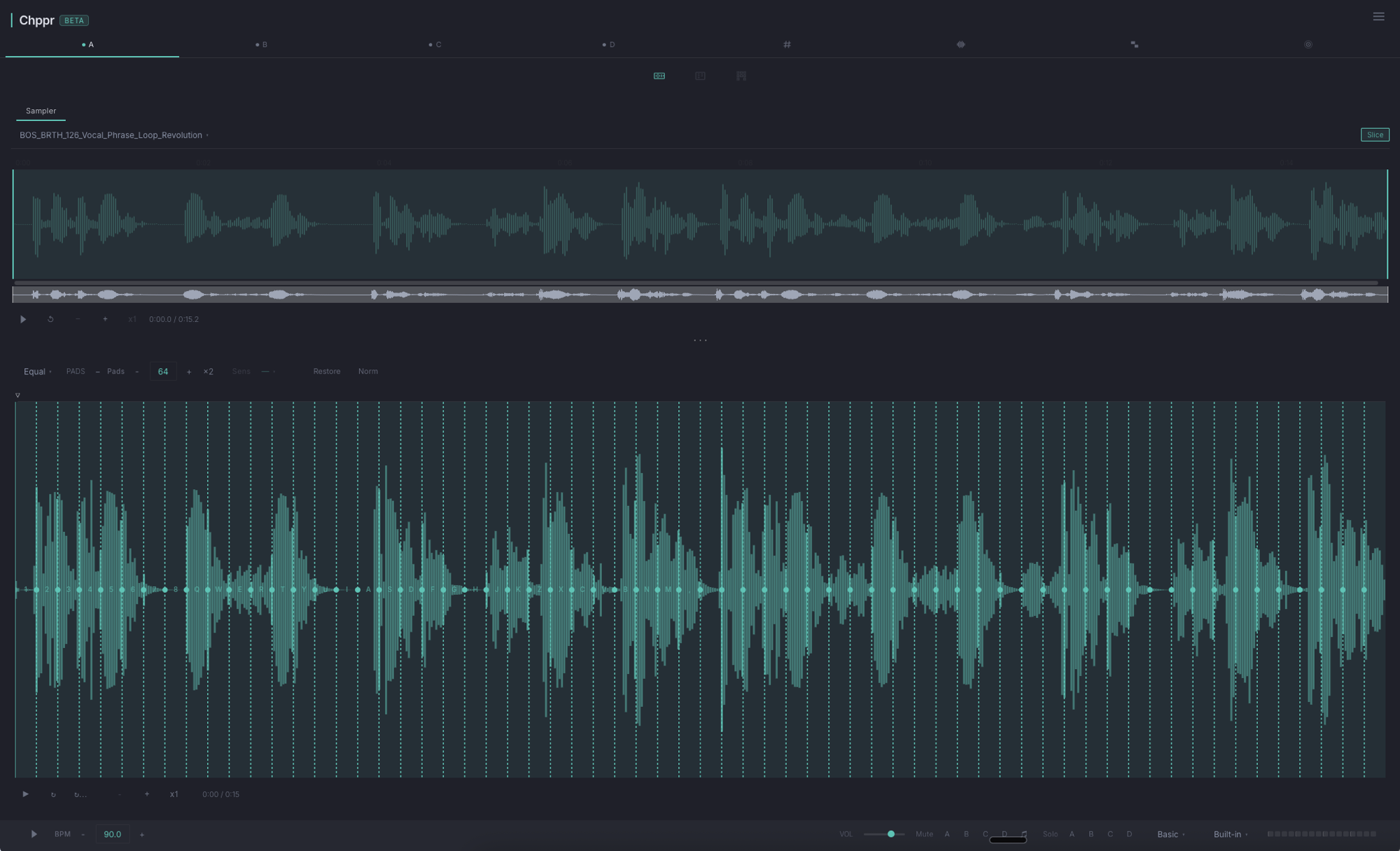
Chppr is an online sample slicer for producers who care about where each cut lands. It is made for breaks, loops, vocals, one-shots, field recordings, and any source you want to split into clean, playable pieces.
If you want the broader tool page for chopping, pads, sequencing, and export, open the sample chopper online page. This page focuses on slice-point control.
What makes it a sample slicer
A slicer is different from a basic audio trimmer. Instead of cutting one file into one export, Chppr lets you create many small slices and play them as an instrument. You can keep the original groove, rearrange the order, pitch a chop, reverse a slice, or program a new pattern.
Place slice points by sound
Use transient detection for drum breaks, equal slices for steady loops, and cue points when the groove needs a human cut.
Why it works for slicing
- Browser-based slicing. Load audio, choose a region, and create slices without installing a plugin.
- Fast automatic cuts. Transient detection helps you split drum breaks and percussive loops quickly.
- Manual control when it matters. Add cue points by ear when the musical feel is more important than the grid.
- Playable output. Slices become pads, not just files, so you can test the groove immediately.
Slice modes
- Transient detection for drum breaks and percussive loops.
- Equal slices for steady rhythmic phrases and quick pad layouts.
- Cue points when you want to place cuts by ear.
- Track assignment when you want one source split across multiple parts.
Basic workflow
Drop audio
Load an audio file directly into the browser. Chppr reads common formats like WAV, MP3, FLAC, OGG, M4A, and AAC.
Choose the section
Drag across the waveform to focus on the phrase you want to slice.
Create slices
Use automatic detection for speed, or add cue points by hand when the feel matters more than the grid.
Play or export
Trigger the slices on pads, build a sequence, export WAV, or keep arranging inside Chppr.
Common questions
Can I slice audio online without installing a plugin?
Yes. Chppr runs in the browser, so you can load an audio file, slice it, play the slices, and export WAV without installing a plugin.
Can I place slice points manually?
Yes. You can add cue points by ear, adjust slice boundaries, then play or export the slices when they feel right.
What audio formats can I slice?
Chppr works with common browser-supported audio formats such as WAV, MP3, FLAC, OGG, M4A, and AAC.
Can I try the slicer without my own audio file?
Yes. Start with the built-in sample beat to hear the slicing and pad workflow immediately, then replace it with your own audio when ready.
Can I export slices as WAV?
Yes. You can export WAV slices after cutting the sample, or keep building the pattern inside Chppr.