Looking for Sampulator? Try Chppr
If you were looking for Sampulator or a browser-based beat maker, Chppr gives you a fast way to chop audio, play slices, sequence beats, and export WAV in your browser.
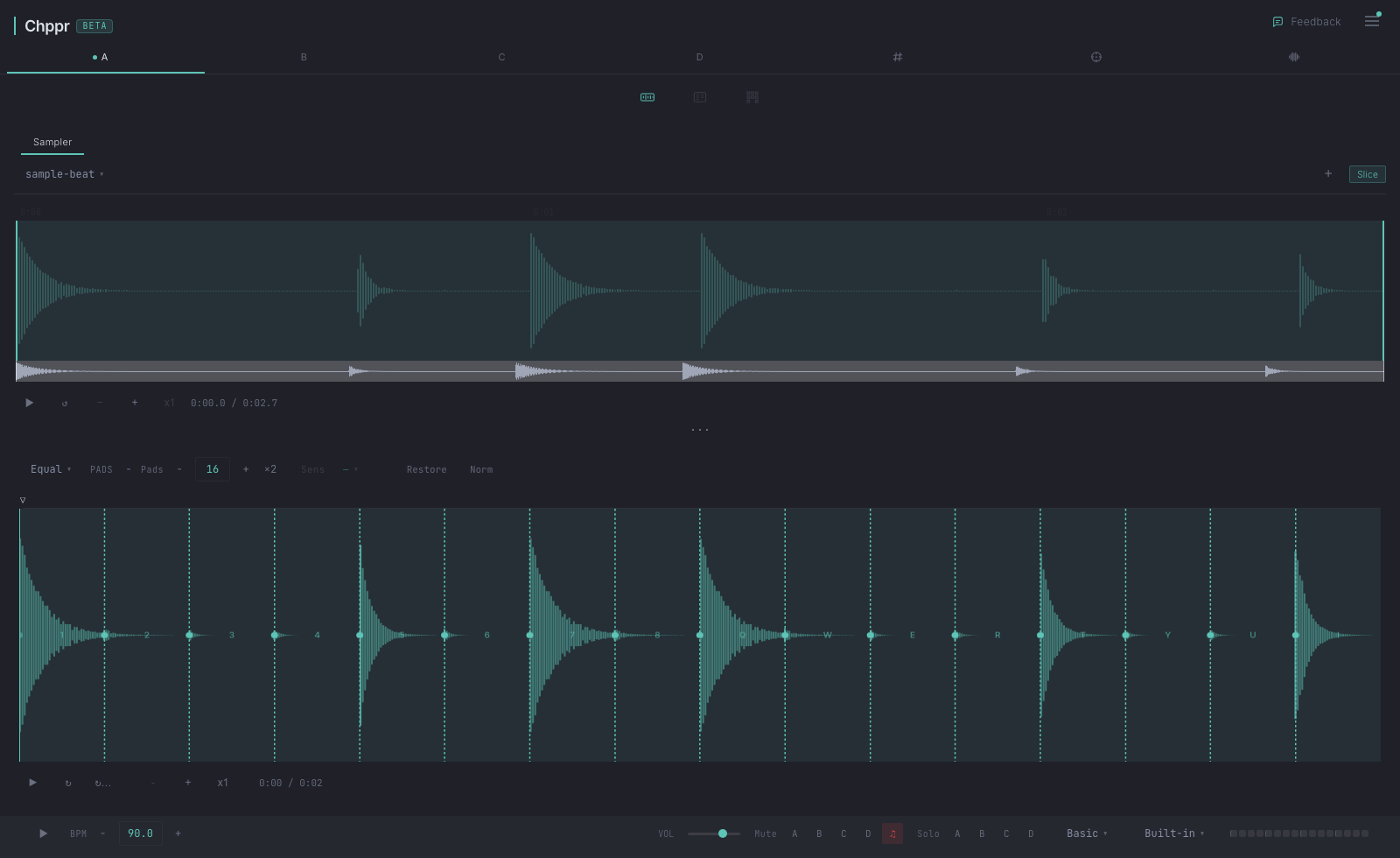
Sampulator is known as an online sampler for triggering sounds from your keyboard in the browser. Chppr is also browser-based, but the workflow is different: start with audio, chop it into playable slices, build a sequence, and export the result.
Chppr is built for a different sampler workflow: bring your own audio, cut it on a waveform, play the slices on pads, and move the result toward a DAW-ready sketch.
Preset-pad playing vs chopping your own audio
Sampulator shines for playing pre-made sounds with your keyboard. Each key is a pad, you record performances, you share clips. Great for finger drumming and quick beats from existing sounds.
Chppr shines for chopping your own audio and arranging it. You drop a sample, slice it on a waveform, lay slices on pads, then program patterns on a step sequencer and chain them into a song. Great for producers working with original or licensed material.
Feature comparison
| Feature | Chppr | Sampulator |
|---|---|---|
| Audio chopping on a waveform | Yes (auto-detect + manual) | Limited |
| Upload your own audio | Yes | Yes |
| Microphone recording | Yes | Yes |
| 16-pad MPC-style layout | Yes | Yes (keyboard mapped) |
| Step sequencer (programmed patterns) | Yes (4 tracks × 16 steps) | No (live recording instead) |
| Song arrangement (chain patterns) | Yes (BeatArc) | No |
| Pitch / Key sync | Yes (Circle of Fifths) | No |
| WAV slice export | Yes | Limited |
| DAW project export | Yes (Ableton / FL format) | No |
| Share project by URL | Yes | Yes (clips) |
| Pricing | Free | Free |
Note: Sampulator features described from public information at the time of writing. The comparison may not reflect recent updates.
What people liked about Sampulator
If you want to play preset kits with a typing keyboard and record live performances quickly, Sampulator is direct and works well. Its community shares clips and finger-drumming performances, which is a different culture from a producer-DAW workflow.
When Chppr is a better fit now
If you are coming from a producer mindset — chop a sample, arrange it into a beat, export to your DAW — Chppr is built for that. The step sequencer, waveform chopping, and DAW export are the core. You can flip a sample in five minutes without leaving the browser.
Try Chppr in your browser
Chppr is free, opens instantly, and does not require signup to start. Load your own audio or start with the built-in demo beat.
Common questions
Is Chppr a Sampulator alternative?
Yes. Chppr can work as a browser-based Sampulator alternative when you want to upload your own audio, chop it into pads, sequence patterns, and export WAV.
Can I upload my own audio in Chppr?
Yes. Chppr is built around loading your own audio, slicing it on a waveform, and playing the resulting chops from pads.
Can I export audio from Chppr?
Yes. Chppr supports WAV export for chopped samples and beat ideas you want to continue in a DAW.